GMGN GUIDE
GMGN paper trading for meme coins
Practice GMGN entries and exits in the browser with virtual funds, while keeping your holdings, notes, and performance history local.
QUICK ANSWER
The short version
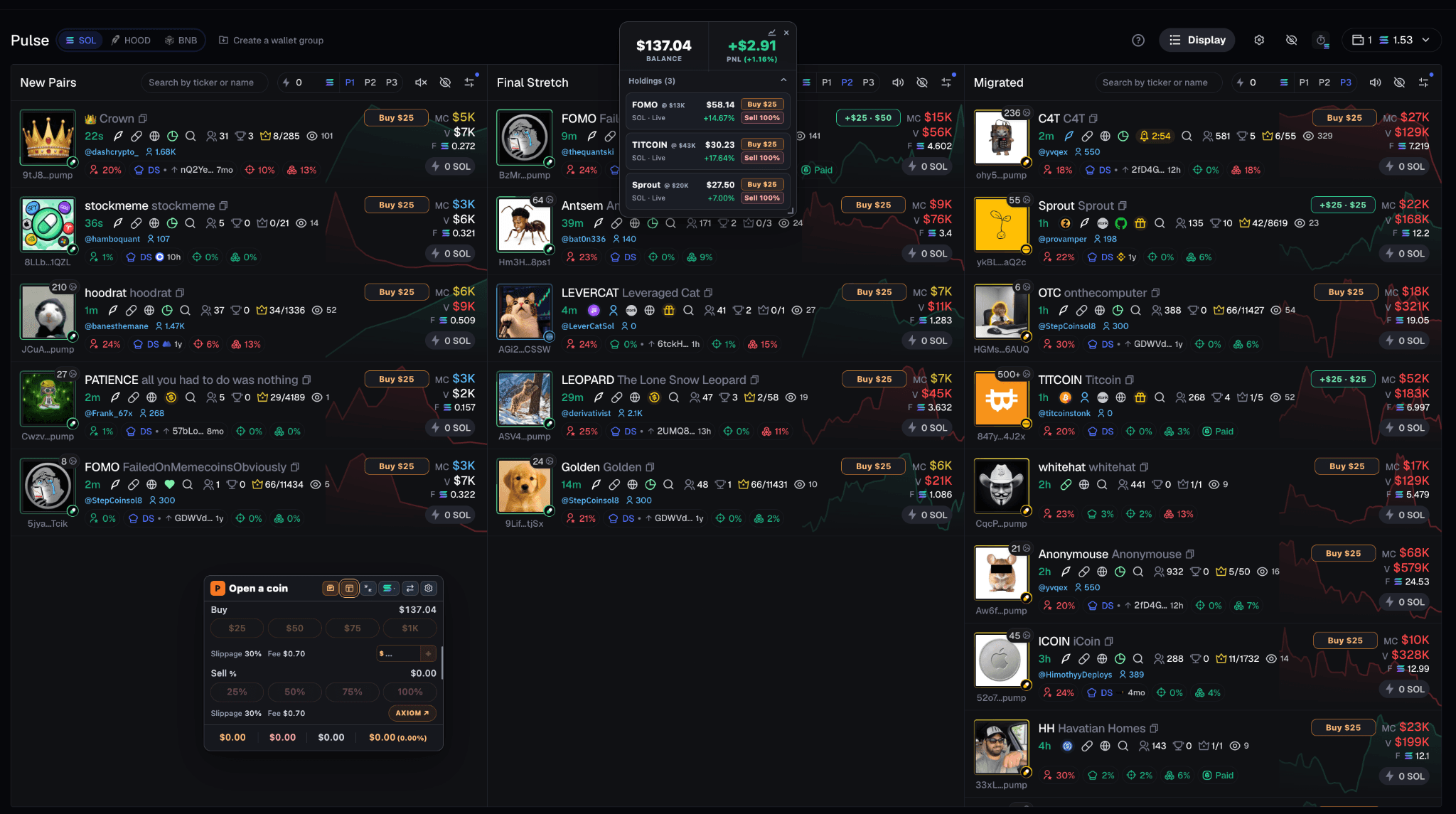
Install papertra.de, visit a supported GMGN discovery or coin page, and use Quick Buy or the chart-side widget to simulate a position. The extension records the paper trade without connecting a wallet.
01
What GMGN paper trading changes
A discovery feed makes it easy to react quickly. A simulation inserts a reviewable step between seeing a coin and committing real capital. Your virtual entry becomes a position with an explicit size, average entry, open P/L, and history.
Papertrade does not replace research or make a coin safe. It gives you a consistent place to practice the decision while the market remains live.
02
Use Quick Buy deliberately
On supported GMGN discovery pages, Quick Buy uses the paper-buy amount saved in settings. Choose that amount before the market gets busy so the simulation tests a rule rather than an impulse.
Bought coins can appear below the floating balance with their current value and open P/L. Quotes update when supported visible cards provide current market context.
03
Continue the trade on the coin page
Open the supported coin page to work with the full paper-trading widget. You can add virtual entries, use custom amounts, sell a percentage, and view chart references for buys, sells, and averages.
If a saved holding shows a last-known value, reopening its supported coin page allows Papertrade to refresh it from current public market data.
04
Test rules that include friction
Configure simulated taxes, execution delay, and slippage tolerance. These settings are especially useful when evaluating a fast entry because the displayed price at the first moment may not resemble a later executable fill.
Journal the reason for entry and the planned exit. Afterward, compare that plan with the position history and Trading Journey instead of evaluating the trade from P/L alone.
05
Common questions
Is GMGN paper trading free with papertra.de?
Yes. The complete Papertrade simulator is free to use, with no payment, subscription, or Papertrade account required.
Do I need a wallet to paper trade on GMGN?
No. The simulator uses a virtual balance and never needs a wallet connection, private key, or seed phrase.
Where is my GMGN practice history stored?
Virtual positions, history, notes, settings, and balances are stored through local Chrome extension storage. You can export and import a backup.
FREE FOREVER · NO WALLET · LOCAL RECORDS