TERMINAL / PADRE GUIDE
Padre paper trading for meme coins
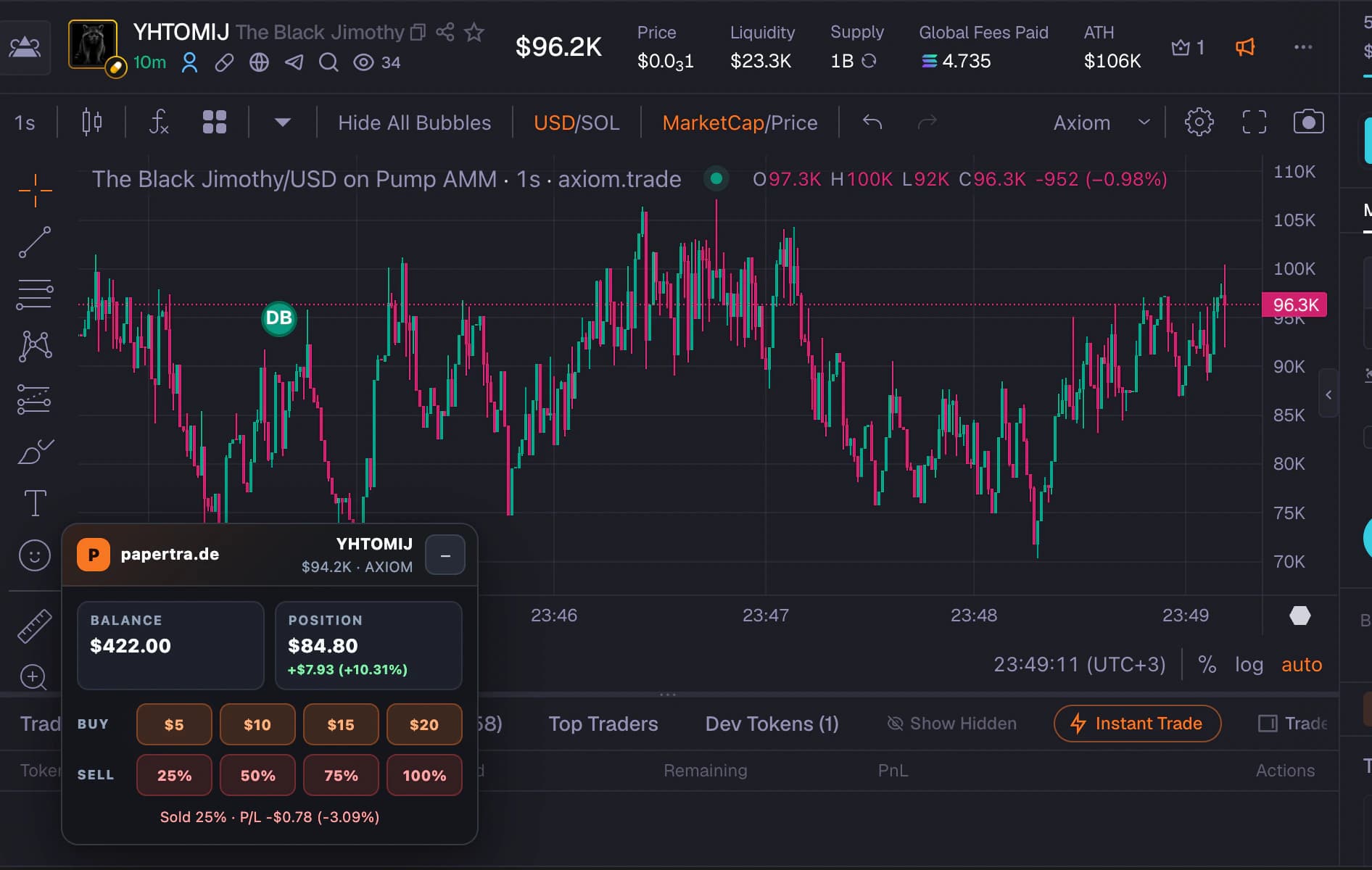
papertra.de adds a compact virtual trading workflow to supported Terminal/Padre pages so you can practice beside the chart without risking capital.
QUICK ANSWER
The short version
After installing papertra.de, open a supported Terminal/Padre coin page. Use the Papertrade widget to simulate buys, add entries, scale out, and review the position with no wallet connection.
01
A paper-trading layer for Terminal/Padre
Papertrade keeps its simulator separate from real execution. It identifies the supported coin context, uses public market information for the simulation, and records virtual balance changes in local extension storage.
The Terminal layout is designed to stay compact near the chart. Auto Compact and opacity controls can reduce how much of the trading screen the widget covers.
02
Build and reduce a virtual position
Start with a saved or custom paper-buy amount. Additional virtual buys update the average entry, while percentage sells let you practice scaling out instead of treating every exit as all or nothing.
Chart lines for buys, sells, Average Buy, and Average Sell keep the position history connected to the price action that produced it.
03
Model the trade before reviewing it
Set the bankroll, taxes, delays, slippage limits, and optional market-cap floor before the trade. Changing assumptions after seeing the result makes the practice less useful.
Papertrade can display values in USD or the configured native asset and can use live SOL, BNB, and ETH conversion rates where the feature applies.
04
Keep a local decision record
Add journal context to the position, then use trade history and Trading Journey to review the finished decision. The goal is to notice repeated behavior such as entries without a plan, inconsistent sizing, or exits that ignore the original thesis.
Your simulated records stay in Chrome extension storage. Use export and import when you want a separate backup of the practice ledger.
05
Common questions
Are Terminal and Padre the same supported workflow?
Papertrade refers to the supported Terminal/Padre interface because the product naming appears in both forms. Compatibility depends on the current supported page layout.
Can Padre paper trading execute a real order?
No. Papertrade only changes its virtual balance and local trade ledger. It does not connect a wallet, move funds, or submit an order.
Can I make the Papertrade widget smaller?
Yes. The extension includes compact presentation controls such as Auto Compact and opacity settings for supported chart layouts.
FREE FOREVER · NO WALLET · LOCAL RECORDS